To request the deletion of your account, follow the steps below.
-
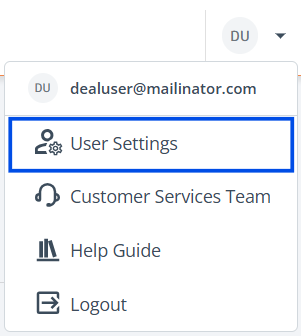
Access User Settings: Navigate to the top right corner of the ‘Projects’ page, click on your e-mail address, and select 'User Settings' from the dropdown.
-
Choose Tab: Navigate to the ‘Security Info’ tab to make your changes.
-
Request Account Deletion: Scroll down to the 'Delete Account' section and select the link for the Customer Services Team.

-
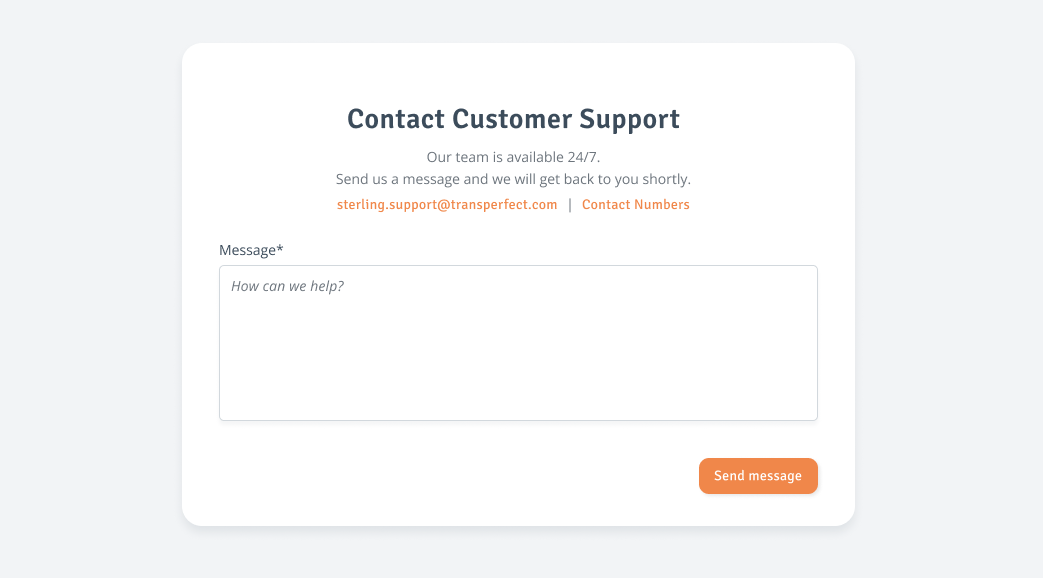
Contact Form: The contact form will open in a new tab. Describe your request in the ‘Message’ input box and select ‘Send Message’. The Customer Services Team will be in touch shortly.