Index changes will be visible to users only after the Session is published, applicable if Sessions are enabled at the Project level.
Create new index
Users with the ‘Full Admin’ and ‘Content Manager’ roles can create a new index.
Organise your index tree content using indexes and folders. To add an index to the Project, follow the steps below.
-
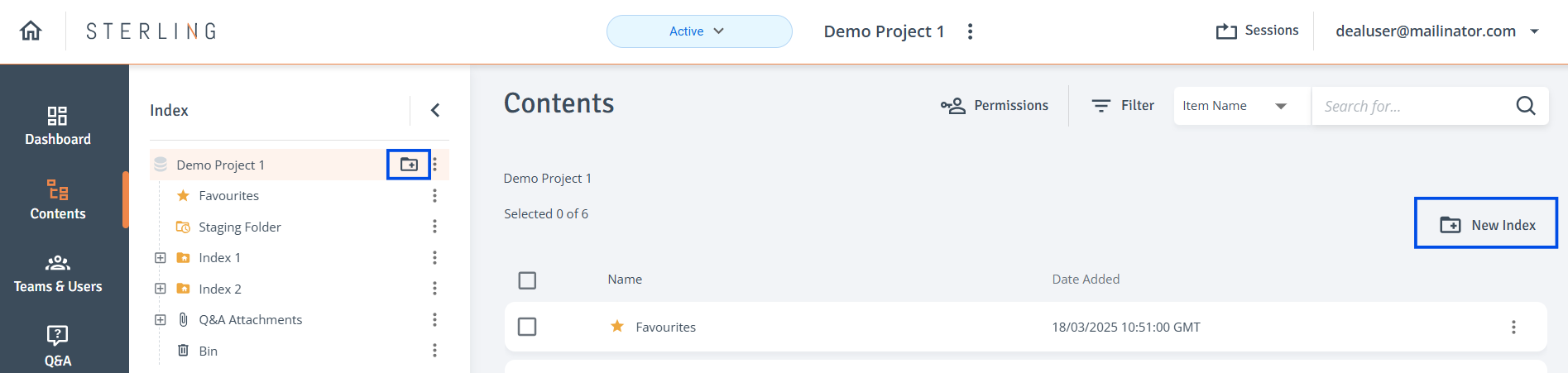
New Index: On the Contents page, click the ‘New Index’ icon at the top of the Index tree, or select ‘New Index’ from the top of the Contents table on the right.
-
Enter Details: In the ‘New Index’ side drawer enter the index name, choose the numbering convention, and click ‘Save’.
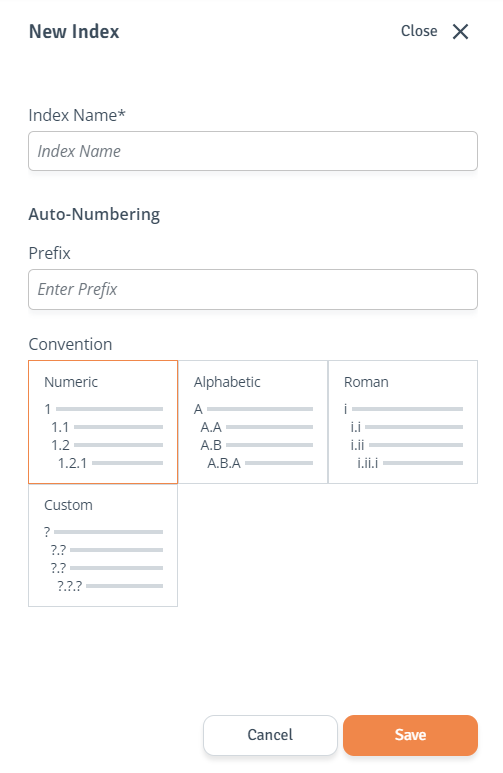
By default, new indexes are created with hidden permissions for Bidders and Sub Teams.
Manage index
To edit properties, delete, copy or bulk rename the index, follow the steps below.
-
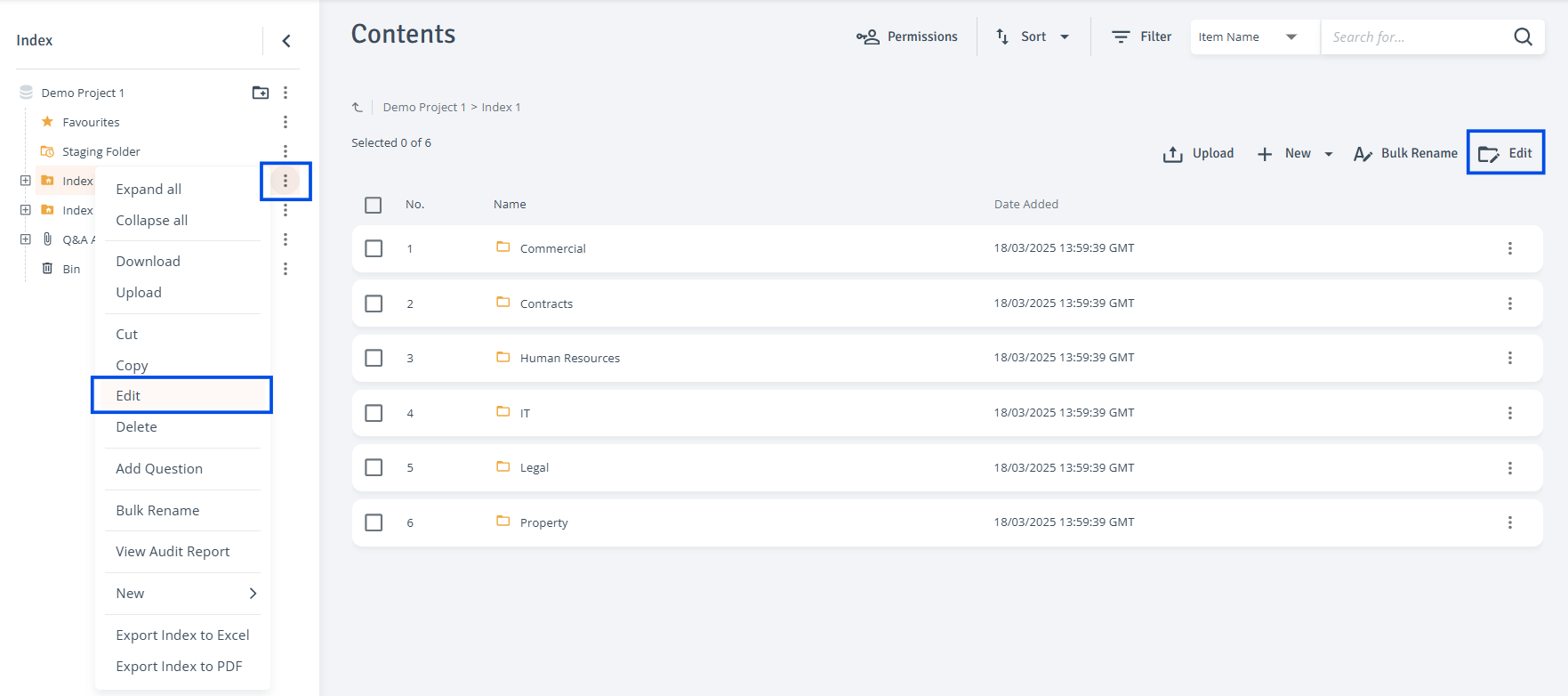
Edit Index: Click the three-dot menu next to the index you want to edit, select ‘Edit’ from the dropdown menu or use the button above the Contents table. The side drawer will open where you can modify the index name or numbering pattern and click ‘Save’.
-
Delete Index: Click the three-dot menu next to the index and select ‘Delete’ from the context menu.