
Users with the ‘Full Admin’ role can edit Q&A attachments settings.
Users with visibility to this thread can download files attached to this answer in their original format, without watermarks, document protection, or redactions.
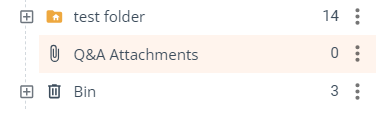
Users from teams with the Q&A attachments setting enabled can attach files to questions and answers. These files are stored in team-specific subfolders within the Q&A attachment folder and are visible only to the Internal team, excluding Sub teams.
To allow the attachments for a specific team, follow the steps below:
-
Q&A Page: Navigate to the ‘Q&A page' from the left side panel.
-
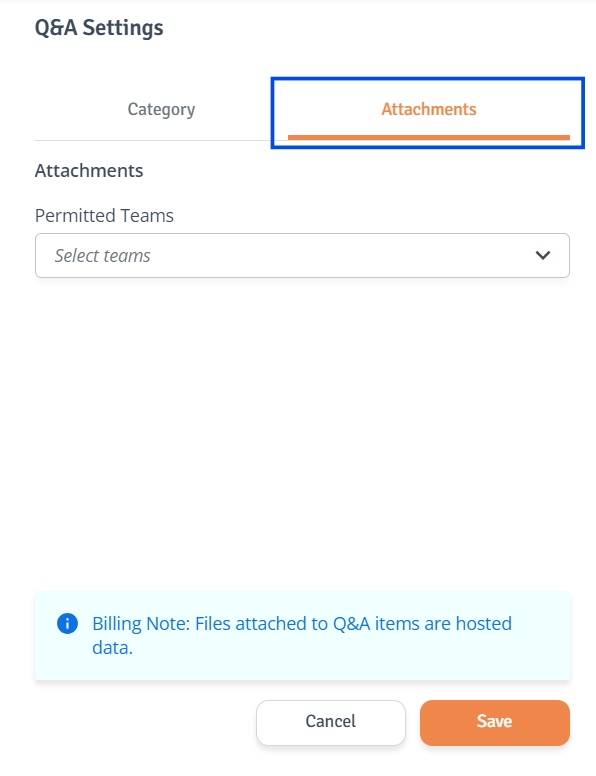
Access Settings: Select ‘Q&A Settings’ from the top right side of the table, and the side drawer will open.
-
Edit Setting: Navigate to the ‘Attachments’ tab and select the teams you want to be allowed to add Q&A attachments.
-
Save Changes: When ready, click ‘Save’ to save the changes.
Files attached to Q&A items are hosted data and will incur a cost.