
Only the question author or user with a Q&A Moderator role can resubmit a rejected question.
Resubmit rejected question
If a question has been rejected, it can be resubmitted by an external Q&A Moderator or the question’s creator.
To resubmit a rejected question, follow the steps below:
-
Access Rejected Questions: Navigate to the Q&A page and use the quick access chips to filter by the 'Question Rejected' status.
Alternatively, select ‘Filter’ to open the side drawer. Under the ‘Item Status’ dropdown, select the ‘Question Rejected’ and then click ‘Apply’ to see the list of rejected questions.
-
Reason for Rejection: A comment must be provided when the question is rejected. When you click on the rejected question, this comment will be visible in the side drawer.
-
Edit and Resubmit:
-
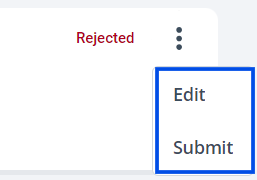
If no edits are required, directly click ‘Submit’ from the three-dot menu.
-
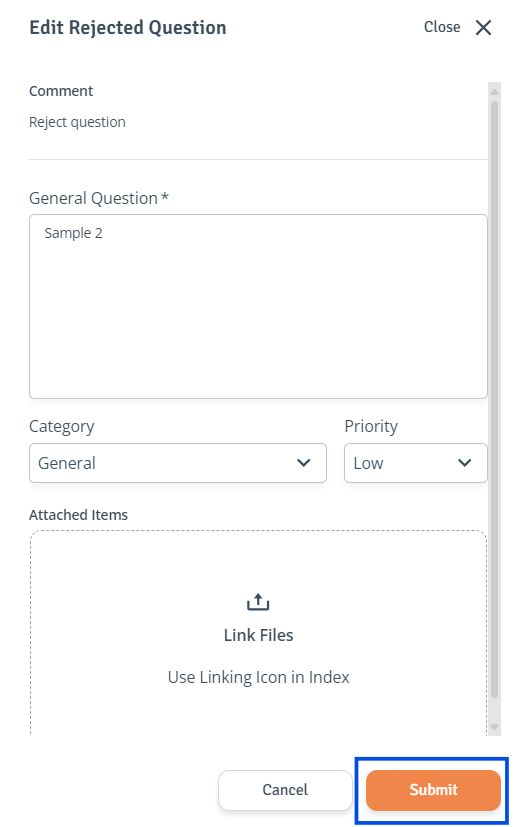
If edits are required, click ‘Edit' in the question's three-dot menu to access the side drawer. Make the necessary changes, then select 'Submit’.
-