
Only the question author or user with a Q&A Moderator role can resubmit a rejected question.
Resubmit a rejected answer
If an answer has been rejected, it can be resubmitted by the Q&A Moderator or the answer's creator.
To resubmit a rejected answer, follow the steps below:
-
Access Rejected Answer: Navigate to the Q&A page and use the quick access chips to filter by the ‘Rejected’ status.
Alternatively, select ‘Filter’ to open the side drawer. Under the ‘Item Status’ dropdown, select the ‘Answer Rejected ’ and then click ‘Apply’ to see the list of rejected answers.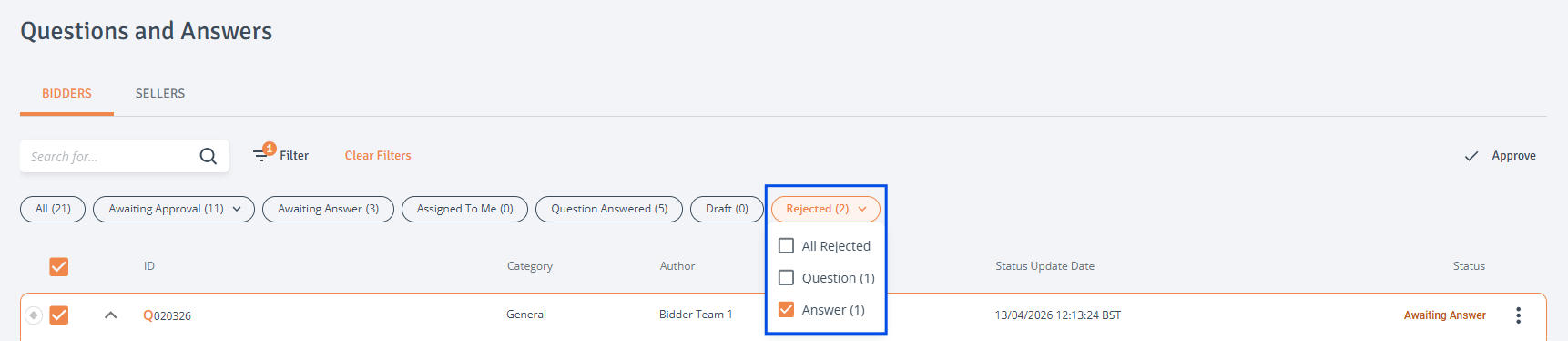
-
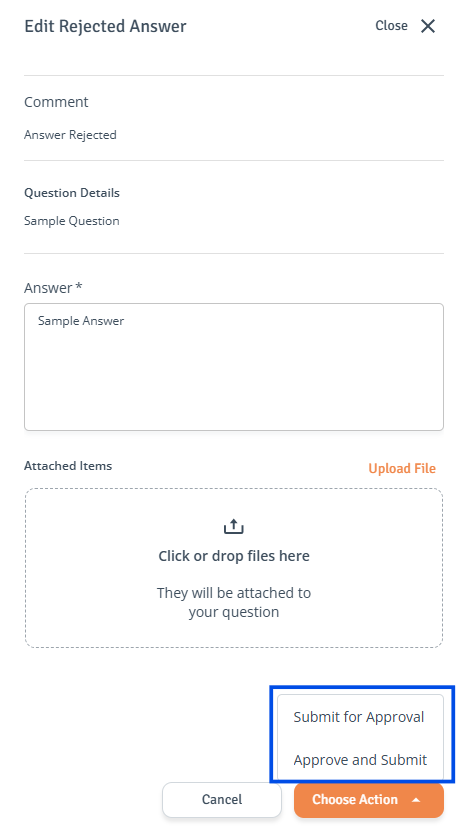
Reason for Rejection: A comment must be provided when the answer is rejected. When you click on the rejected answer, this comment will be visible in the side drawer.
-
Edit and Resubmit:
-
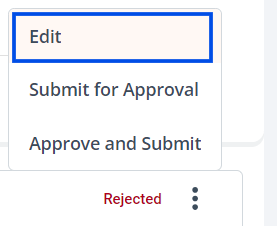
If no edits are required, directly click 'Submit for Approval' or 'Approve and Submit' from the three-dot menu.
-
If edits are required, click ‘Edit' in the answer's three-dot menu to access the side drawer. Make the necessary changes, then select 'Submit for Approval' or 'Approve and Submit'.
-