
Users with the ‘Full Admin’ role can create categories.
Each Q&A question belongs to a category, which helps assign questions to the appropriate Experts, Question Moderators, and Answer Moderators. These roles can be assigned to a category when it is created or later by editing it. The General Category is always available and cannot be deleted. Additional categories can be managed, edited, or deleted by the user at any time.
A category cannot be deleted if it has any questions asked in it.
To create or edit a category, follow the steps below:
-
Q&A Page: Navigate to the ‘Q&A page' from the left side panel.
-
Access Settings: Select ‘Q&A Settings’ from the top right side of the table, and the side drawer will open.

-
Add or Edit Category: Navigate to the ‘Category’ tab.
-
Create New: To add a category, click ‘Create New Category’ on the top right-hand side of the drawer, enter the Category name, and assign users to a specific role, then click save.
-
Edit Category: To edit a category, click on a category name to expand it. Edit the category name and use the dropdown fields for Q&A user roles to modify the assigned users.
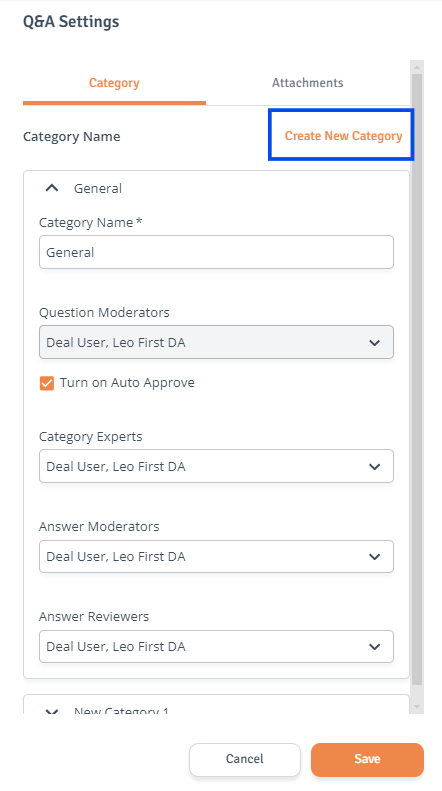
-
Category and User Roles: Depending on the Q&A workflow, different fields will be available for editing in the drawer. For example, users can be assigned a Q&A moderator role, but for it to be effective in a specific category, they must also be assigned that role within the category.
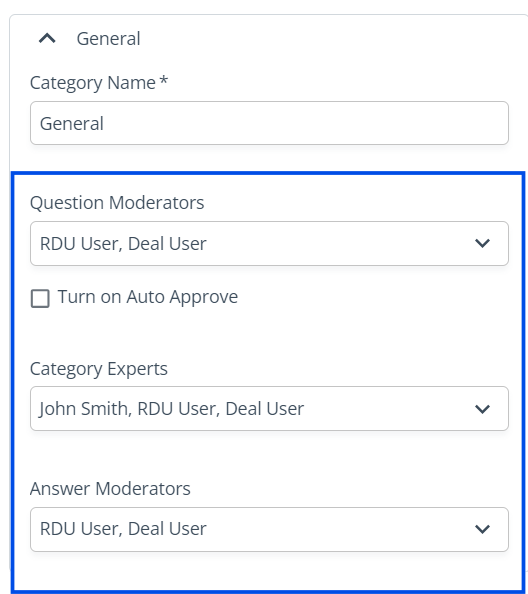
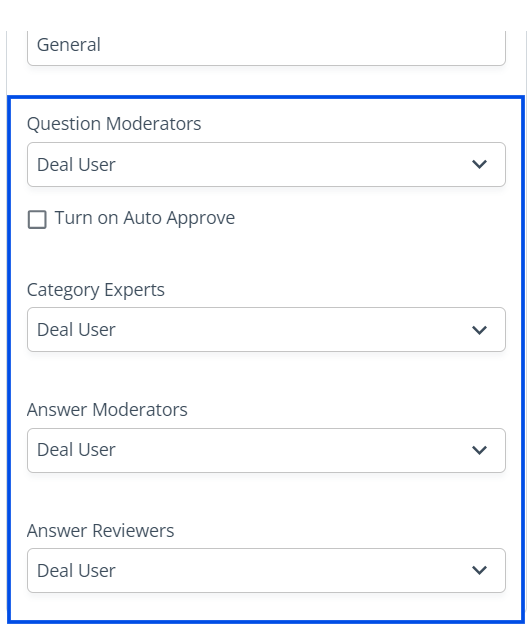
Displayed below are the different roles available within the category, depending on the Q&A workflow:
Simple flow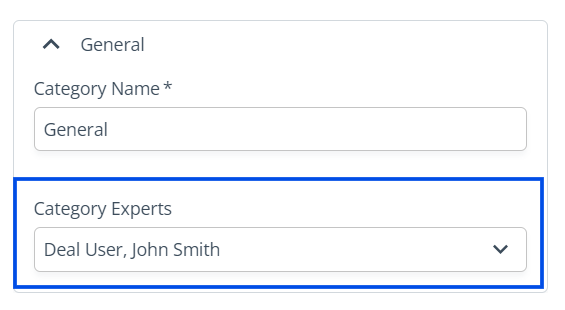
Advanced flow
Expanded flow
-
-
Save Changes: When ready, click ‘Save’ to save the changes.