
Users with the ‘Full Admin’ role can set the Q&A limits.
In the Q&A section of the Project, a limit can be set on the number of questions the External Team can ask. This limit can be applied at the team level, either for the total number of questions per team or for the number of questions per category per team.
To set the Q&A limit, follow the steps below:
-
Q&A Page: Navigate to the ‘Q&A’ page from the left side panel.
-
Set Limit: Select ‘Q&A limits’ from the top right side of the table, and the ‘Q&A limits’ page will open.
-
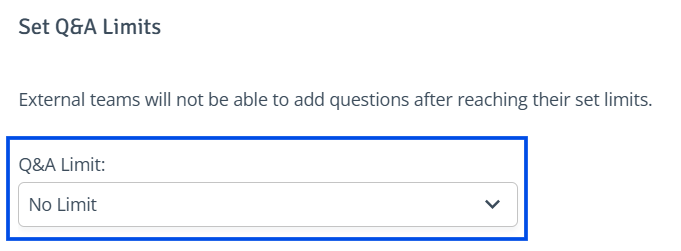
No Limit: By default, no Q&A limit is set.
-
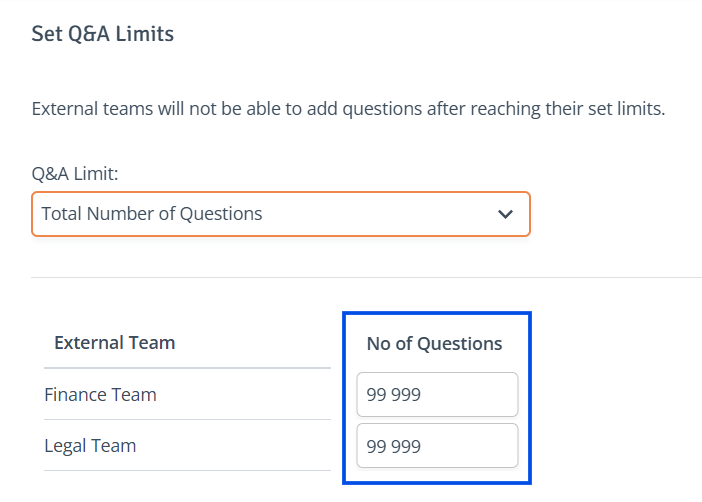
Limit Per Team: Choose ‘Total Number of Questions' from the 'Q&A Limit’ dropdown. Locate the team to adjust and enter the question limit in the 'No. of Questions' field.
-
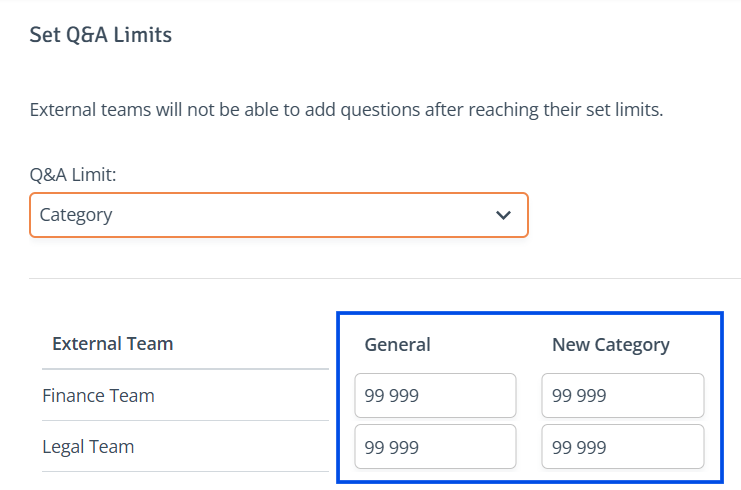
Limit Per Category, Per Team: Choose 'Category' from the Q&A Limit dropdown. Locate the team to adjust and enter the question limit in the selected category column field.
-
-
Save Changes: When ready, click ‘Save’ to save the changes.