
Questions asked by one External Team are hidden from other External Teams by default. Full Admins can adjust this visibility if needed.
Teams with hidden permissions to files cannot view relevant question threads.
Set visibility
To set a question visibility, follow the steps below:
-
Q&A Page: Navigate to the ‘Q&A page' from the left side panel.
-
Select Question: Visibility can be set for questions that are either awaiting answers or have already been answered.
-
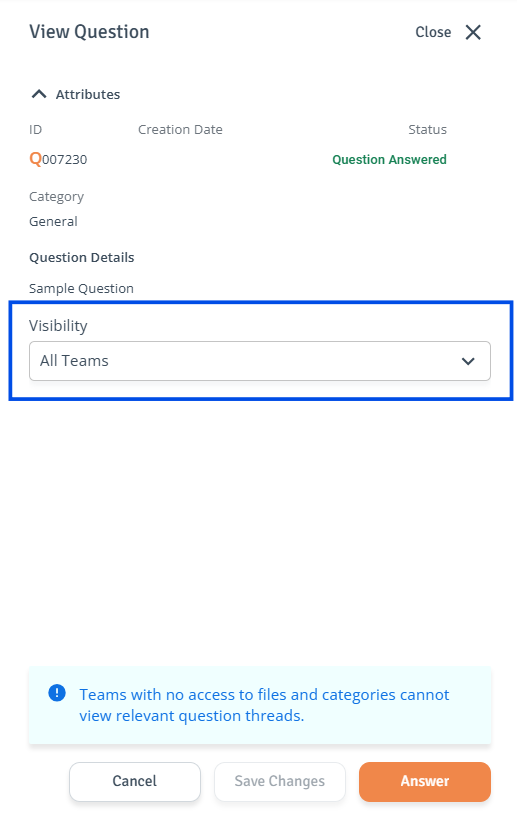
Single Item: Click the three-dot menu on the question and select ‘View.’ In the side drawer, use the checkboxes in the ‘Visibility’ dropdown list to select the External Teams that can view the question thread. When ready, click ‘Save Changes'.
-
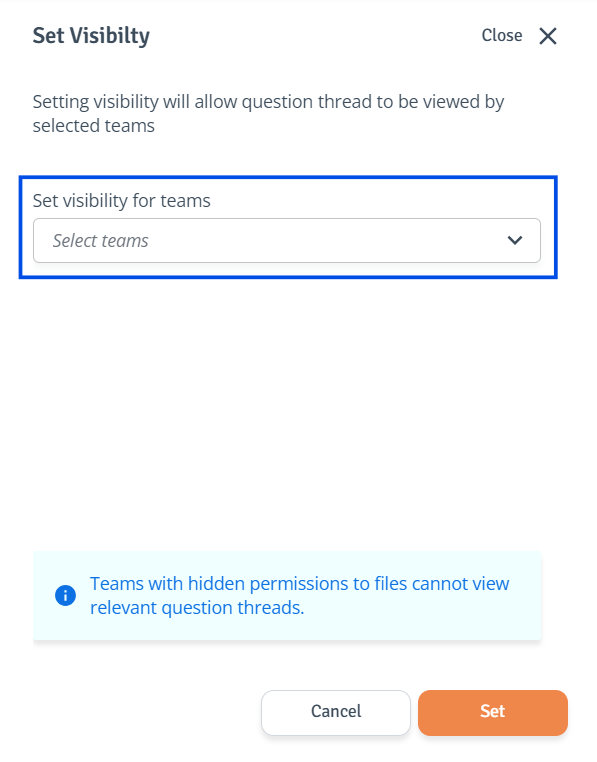
Multiple Items: Use the checkboxes to select the questions you want to adjust. Then select ‘Set Visibility’ at the top right. The side drawer will open. Use the checkboxes in the dropdown list to select the External Teams that can view the question thread. When ready, click ‘Set’.

-
Revoke visibility
-
Q&A Page: Navigate to the ‘Q&A page' from the left side panel.
-
Select Question: Visibility can be set for questions that are either awaiting answers or have already been answered.
-
Single Item: Click the three-dot menu on the question and select ‘View.’ In the side drawer, use the checkboxes in the dropdown list to select the External Teams to hide the question thread from. When ready, click ‘Save Changes'.
-
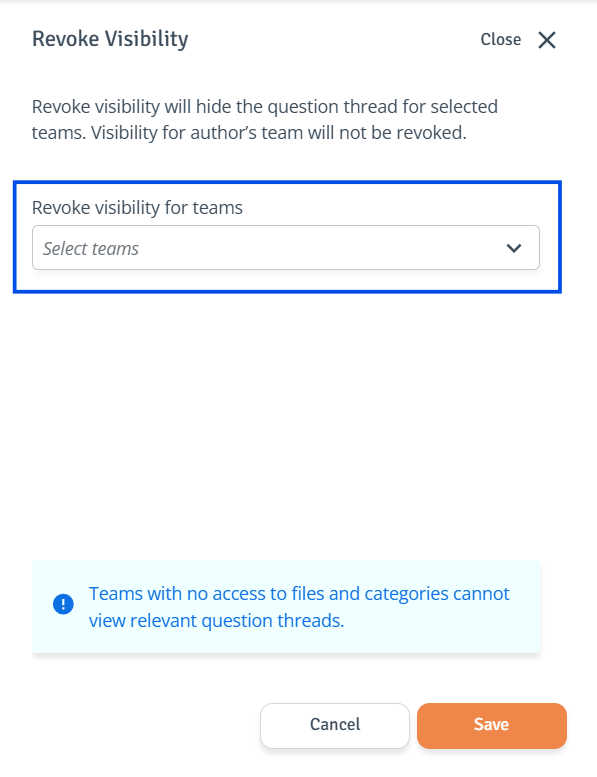
Multiple Items: Use the checkboxes to select the questions you want to adjust. Then select ‘Revoke Visibility’ at the top right. The side drawer will open. Use the checkboxes in the dropdown list to select the External Teams to hide the question thread from. Visibility for the author’s team will not be revoked. When ready, click ‘Save’.

-